Get 5% Weekly Cashback on Eligible Zeus Bingo Slots
Albie
Download the official Zeus Bingo app and play over 1,000 slots and dedicated bingo games in one place! Get the Android or iOS app to kickstart your first Zeus Bingo mission with a boost of up to 500 bonus spins!

zeus-bingo-mobile-app-banner
Zeus Bingo is a site that beautifully balances slots and other casino games with dedicated bingo options. The comprehensive mix of games is one of the site’s greatest selling points, but we’re not here to judge the gaming selection or bonuses in this one. For that, you can check our full Zeus Bingo review and guides on bonuses and special offers. We’re here today to see just how well all of those play out on mobile devices.
At a glance, Zeus Bingo offers dedicated apps for Android and iOS, but that’s just the tip of the iceberg. Our BonusMenu experts have already explored all the mobile gaming properties of this bingo and slot site, and we’ll be sharing our firsthand insights with you below.
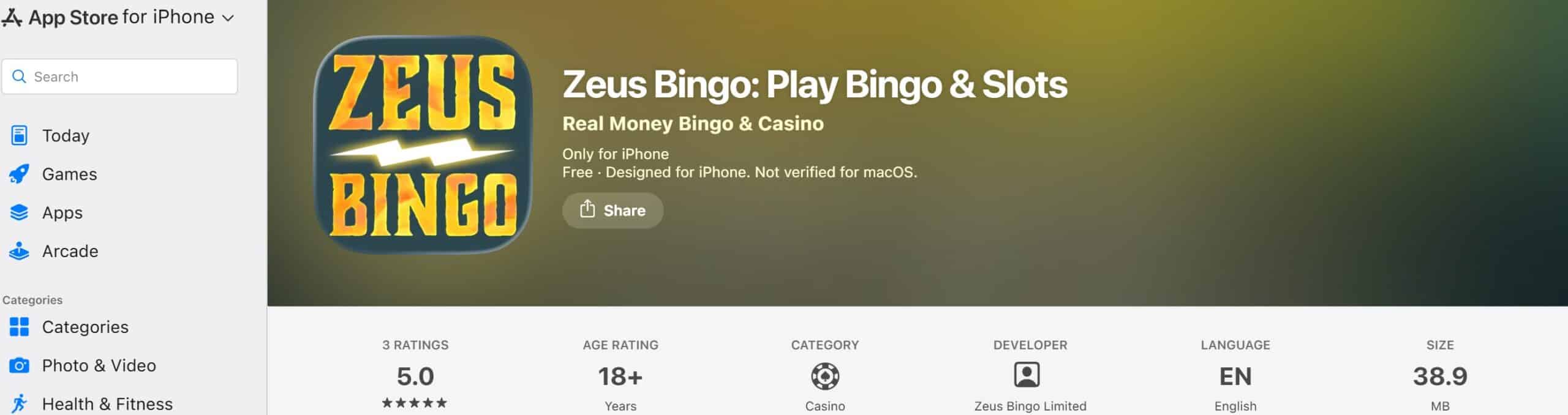
The official Zeus Bingo app is available for both Android and iOS, allowing you to download it directly from the Google Play Store or the App Store. The thing is — the number of customer reviews is fairly low, so the app rating won’t get you too far. That’s why our BonusMenu experts installed the software to give it a firsthand try.
We’ve downloaded both the Android and the iOS app to put the true mobile optimization of the site to the test. As it turns out, it’s a pretty compact app, only weighing about 38 MB. On top of that, it seems to be compatible with both the latest Android and iOS versions and the previous versions, as we experienced no lag regardless of the platform.
The mobile view of the site comes fairly close to the PC version of Zeus Bingo, but the dedicated app does it more justice. We’d recommend downloading the app if you need instant, lag-free access to your account even while you’re on the move. Only UK players can download the app, and considering that it’s released by Jumpman Gaming, a reputable group, it’s a completely trustworthy pick.
Don’t get us wrong here: we’re not saying that the mobile version isn’t valuable itself. It’s simply just a tiny bit less responsive, so if you’ve got free space on your device, we definitely recommend getting the app.
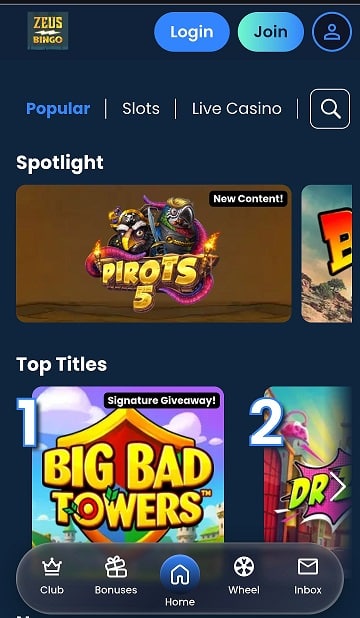
Layout-wise, we have to give Jumpman Gaming a thumbs-up in terms of the in-app simplicity. The design is just simple enough for newbies to get around without harming the visual appeal too much. It’s also rather easy to navigate the menu, as it’s not your traditional in-app menu.
Instead, Zeus Bingo follows the latest mobile gaming trends, as it displays the main account configuration options in the bottom panel at the centre of the screen. It allows you to quickly jump between the on-site sections, moving through categories like the VIP Club, Bonuses, and the Daily Wheel. You can also check your inbox, while the profile icon at the top of the screen includes account-related settings.
The Zeus Bingo mobile app can be downloaded and updated via official app marketplaces for Android and iOS. You can also set up notification alerts for situations where new app versions are released. In such a case, you’d be able to install the latest version straight through the app. Overall, it’s not too hard to keep up with the latest patches, so you shouldn’t miss out on any, at least as long as you’re checking your email.
If there’s one app review category that caused our team trouble, it’s the official ratings. Supposedly, fans of the site weren’t too keen on leaving their feedback after installing their apps, which can also be a good sign: perhaps they were too busy playing! Still, a sample of 3-5 reviews is not enough for us to give any sort of verdict to that extent. Instead, we’ve analyzed the feedback left by active players on forums like Reddit, and we found nothing but positive remarks.
One of the best things about the Zeus Bingo app is that it stays true to the source site in terms of gaming features. Just take a look at the bonus section, and you’ll see what we mean by that. You can still count on all the main bonus offers, but we haven’t found any app-specific promos. Either way, here’s a quick rundown of the bonus types you can expect once you download the Zeus Bingo app and set it up:
Our team didn’t face any app loading issues whatsoever, but we still wanted to give you a couple of useful pointers if you end up having that sort of trouble. One of the first things you can do is exit the app, clear your tabs, and restart the phone. If it still doesn’t work, it’s a sign that it’s not a matter of your device lagging, but rather the app itself.
From this point on, you can reach out to Jupman Gaming as a group (they have a special support channel for such inquiries), or refer to Zeus Bingo’s native support team. We’d also advise you to check for new app versions, as the outdated ones might start lagging as the latest patches are released. If none of that helps, try clearing your cache and reloading it as a last-resort option.
New players only, £10 min fund, free spins won via mega wheel, max bonus conversion to real funds equal to lifetime deposits (up to £250) to real funds, 10x wagering requirements and full T&Cs apply here
How do we rate bonuses?
The overall bonus rating is determined based on several factors: the amount of the bonus, the company's rating, the ease of obtaining it, the players' rating and the conditions for obtaining the bonus.
Now that you know about all the goodies that the Zeus Bingo app brings to the table, it’s about time we went through the setup steps. Follow this quick guide to get the app up and running within minutes:
On your device, start typing “Zeus Bingo app” to get the download options displayed. From there, simply pick the version suitable for your device.
For the next step, load the app download link via the official app store for your device and initiate the setup process.
Finally, you can add the app to the homepage of your device as a shortcut. From there, proceed to log in to your account and start playing. It’s as simple as that.
You don’t even need to have an existing account to download the Zeus Bingo app. Simply download the app, and once it’s all set, you can sign up and log in within the app:
Launch your Zeus Bingo app and tap on the light-blue “Join” button right next to the profile settings icon.

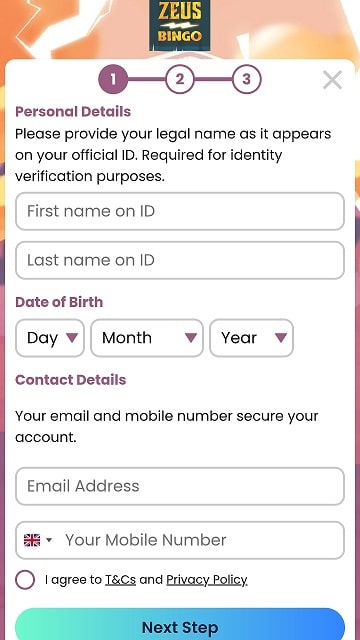
Up next, you’ll need to provide all the personal details required for registration, including your full name, contact information, date of birth, and others. A subsequent KYC check might also require you to attach a copy of an ID or a driver’s licence for identity verification purposes.
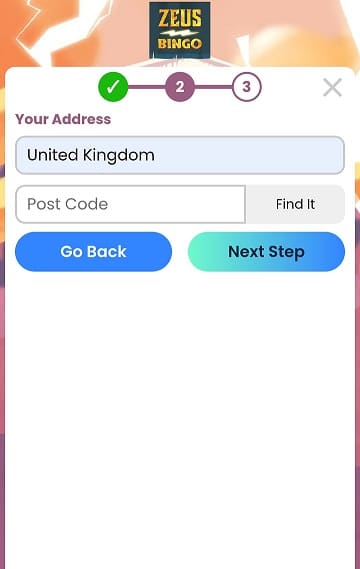
After providing the basic personal details, the form will prompt you to type in your UK-based address. Start by typing in the postcode and then your street number. Afterwards, set up a secure username and password and proceed to log into your new account.
Overall, the Zeus Bingo mobile app is what truly rounds up the experience of playing on this platform. It’s available for both Android and iOS players, easy to download and set up, and most importantly: it integrates the original game lobby and promo section in their entirety.
Plus, you can sign up using the app and proceed to claim the Zeus Bingo welcome bonus of up to 500 bonus spins on Sahara Riches. We’ll keep you posted as the site releases new app updates, and in the meantime, feel free to explore our daily bonus listings and summaries for more exciting bonuses on mobile-friendly casinos just like Zeus Bingo.
Yes, the Zeus Bingo mobile app is completely free. It may not be available for download directly from the site, but you can still get it from native app stores like the Google Play Store or the Apple App Store.
You can download the app from the Google Play Store or the Apple App Store. Check for the latest updates before you hit the “download” button.
Yes, all the newbies who sign up via the Zeus Bingo app can log into their accounts and make a spin on the Mega Wheel on the house. As a result, up to 500 bonus spins are up for grabs for new app users, and all you have to do is join and spin to win.

Filip is a passionate slot enthusiast and a casino review writer for more than 10 years. During that time, he's reviewed more than 1,000 casinos, bonuses, and game providers, and he uses his extensive and firsthand experience in the niche to write expert reviews here at BonusMenu.